
 Our solutions
 Integrations
 Entrepreneurs & SMEs
 Chartered accountants
 Acomba
 SigaFinance
 AgExpert
 Get a free demo
 Talk to an expert
 Automation
 Intelligent search and document filing
 Financial indicators
 Dairy Indicators
 Mobile app
 Annotations
 Access management
 Data capture
 Intelligent data recognition
 Automatic transfer to your accounting software
 Electronic Data Interchange (EDI)
 Real-time dashboard
 12 months overview
 Personalized indicators
 The real impact of milk prices
 Synchronization of your dairy data
 Eight essential indicators
 Understand your margins
 Document digitization
 Seamless and secure integration
 Informative annotations
 Collaborate as a team
 Centralized information
 Two types of annotations
 Multichannel notifications
 Role assignment
 Secure your information
 Predefined access levels
 Useful links
 Help & Support
 Blog
Blog Customer login
 FAQ
FAQ Technical support
 Contact us
Document deletion
Modified on: September 16, 2025In Aleop, deleting a document does not mean its immediate removal from the servers. Instead, it triggers a controlled transfer to a buffer area (the Deleted documents section), allowing for review or secondary processing before permanent deletion. This approach ensures operation reversibility and compliance with best practices for document traceability.
Entry points for deletion
A document can be manually deleted from four specific functional sections of the interface:
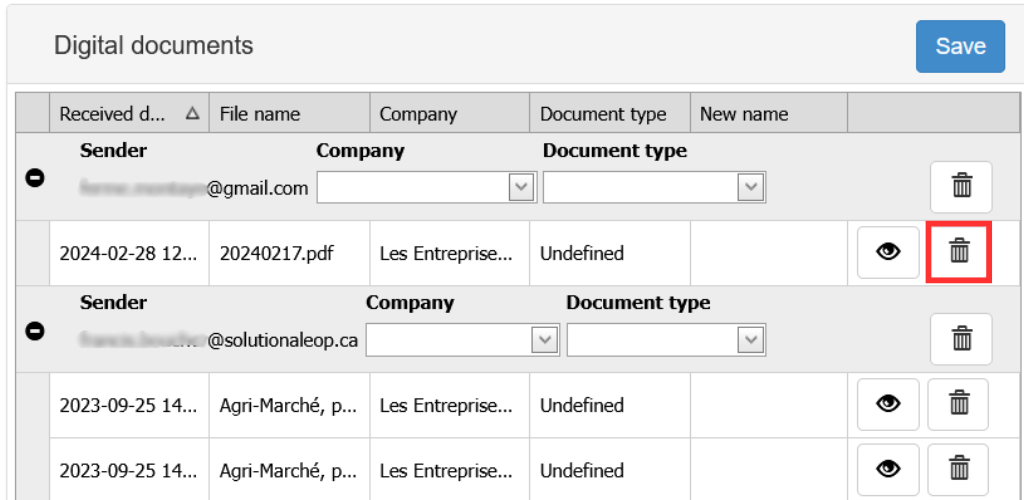
Classification
Initial sorting interface for documents received via external channels (email and scanning). At this stage, no accounting link has been established yet.
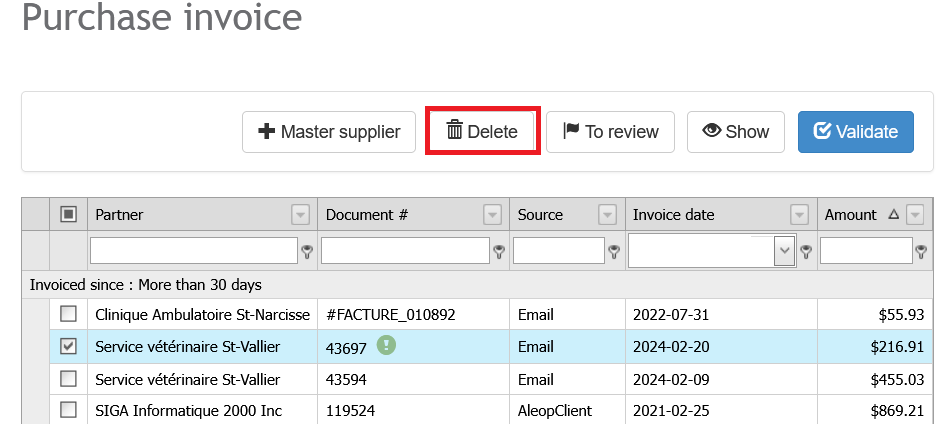
Validation
Intermediate step during which documents, after OCR recognition, are submitted to the user for validation of accounting data.
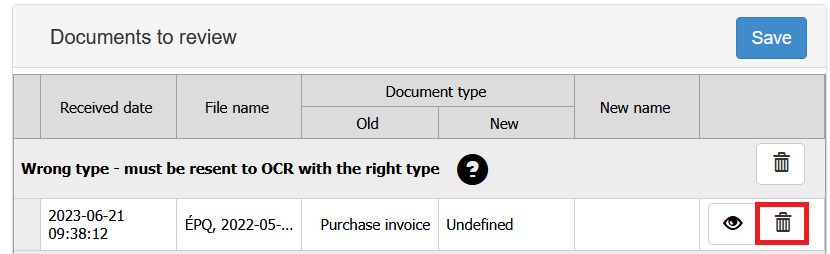
Reviewing section
Quality control section containing purchase or sales documents for which an anomaly was detected during processing.
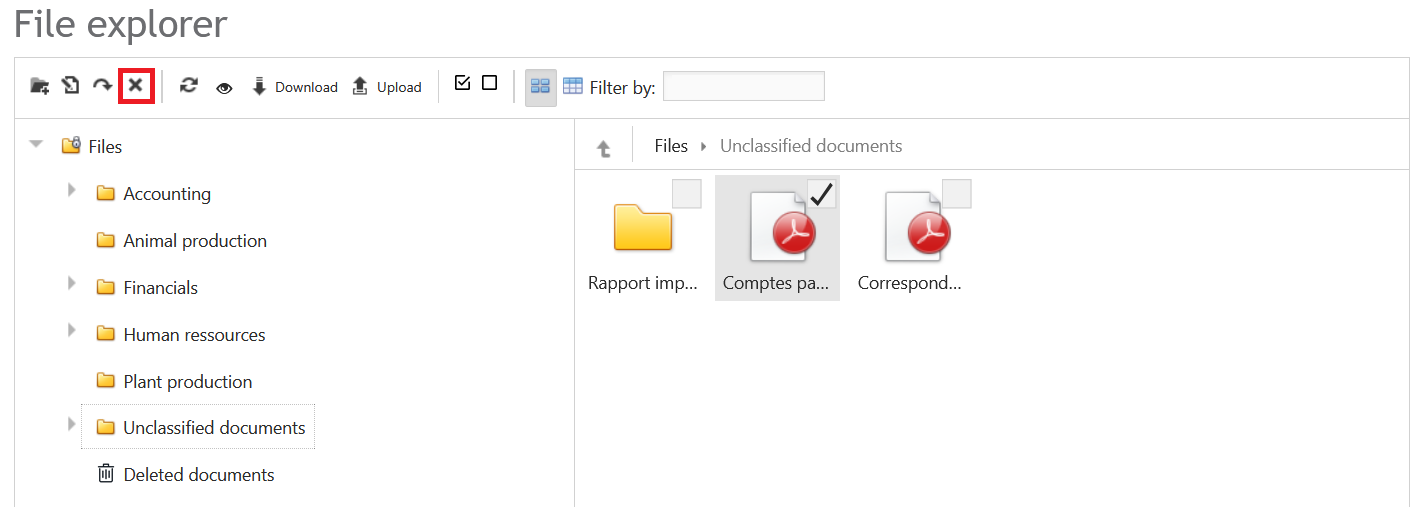
File Explorer
Storage area for all accounting and non-accounting documents of the company. For security and financial data integrity reasons, accounting documents cannot be deleted from this section.
Behavior of deleted documents
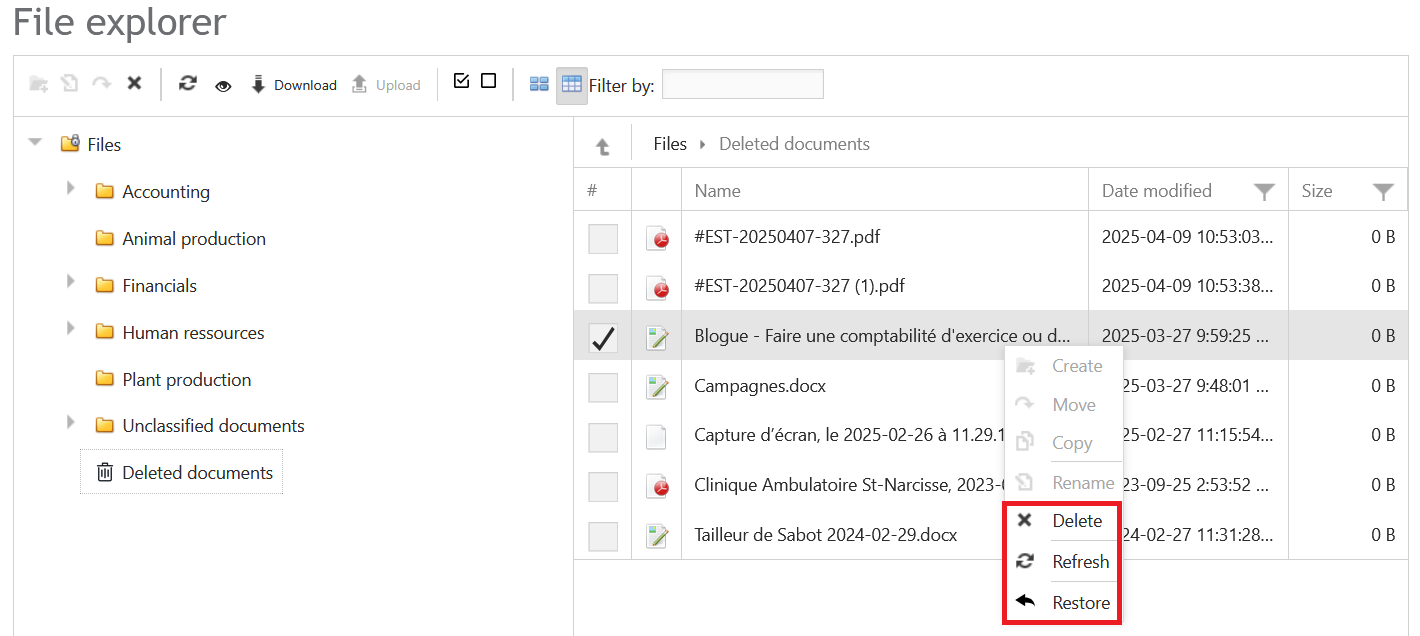
All deleted documents in Aleop are moved to the Deleted documents of the File Explorer. Documents moved to this section are no longer active in processing workflows but remain physically available until permanent deletion is triggered.
The allowed actions are as follows:
Delete
This action results in the permanent deletion of the document, meaning it is irreversibly removed from the Aleop platform without any possibility of recovery. All associated data, including processing history and any links to files or annotations, are also erased. This operation is irreversible and should only be used when the document is deemed unnecessary or was imported by mistake. Explicit confirmation is required before execution.
Refresh
This action reloads the list of documents or the current page status to display the latest changes (additions, deletions, restorations, or status updates). It is useful for ensuring the interface reflects the most up-to-date data, especially when another team member is working simultaneously on the same documents.
Restore
Reinstates the document to its original entry point based on its initial source. A document received by email or scanning will be sent back to the Classification section, while a document added manually in the File Explorer will be placed back into the Unclassified documentsfolder. The document then regains its active status in the processing workflow.
Security and Permissions
Deleting a document depends on the context: from the filing, validation, reviewing screens, as well as from the regular folders in the binder, any user with access to a feature displaying these screens can delete a document.
Permanent deletion from the "Deleted documents" section can be performed by any user with access to the binder. Aleop Solution contributors can also perform this action, as they have full rights over a company during their interventions.
The permanent deletion action is recorded in an internal log, allowing the operation to be traced if needed.
A confirmation is requested through a pop-up window for any permanent deletion to prevent unintentional removals.
Best practices
- Use deletion judiciously, especially for accounting documents, to avoid disrupting active workflows (e.g., OCR processing or validation).
- Always review the documents in the trash before performing a permanent deletion.
- Take advantage of the restore function if a document was deleted by mistake. Automatic return to the correct processing step helps save time and maintain organization.