 Nos solutions
 Integrations
 Acomba
 SigaFinance
 AgExpert
 Get a free demo
 Talk to an expert
 Automating
 Intelligent search and document filing
 Financial indicators
 Mobile app
 Data capture
 Intelligent data recognition
 Automatic transfer to your accounting software
 Receive invoices directly with EDI
 Real-time dashboard
 12 months overview
 Personalized indicators
 Document scanning
 Seamless and secure integration
 Informative annotations
 Useful links
 Help & Support
 Blog
Blog Customer login
 FAQ
FAQ Technical support
 Contact us
Published on Jan 13, 2026
Aleop Mobile: your documents digitized in one click, wherever you are
You’ve been waiting for it? It’s here!
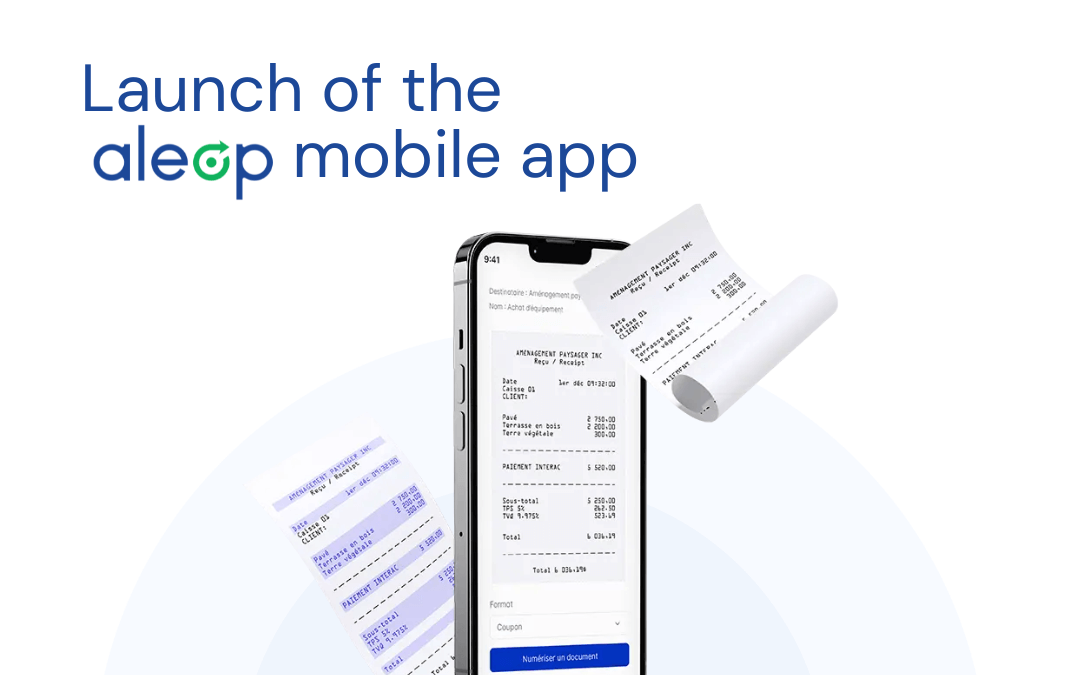
Our mobile app is now available! This new feature lets you digitize your accounting documents in just seconds, directly from your phone. A solution designed to support you wherever you are, without changing your habits.

Why a mobile app?
- Because you’re not always at the office.
- Because paper invoices pile up quickly.
- Because it’s all too easy to forget a receipt or lose it before scanning.
With the Aleop mobile app, there’s no need to wait until the end of the month to sort through your paperwork. As soon as you receive an invoice or a receipt — whether in a store, during a delivery, or after a trip—you can simply take out your phone, snap a picture of the document, and instantly send it to your Aleop account.
It’s a small step that makes a big difference: no more forgotten receipts, less time wasted, and your accounting always up to date, effortlessly. By digitizing documents as you go, you say goodbye to stacks of invoices piling up on your desk or in your glove compartment.
How the app makes your daily tasks easier
Let’s take an example: A member of your team leaves the hardware store with an invoice in hand. In most cases, it’s not the person responsible for accounting who made the purchase on site. Instead of putting it in the glove compartment (and potentially forgetting about it), they open the Aleop app, take a photo, and send it to your account. Just a few seconds are enough. The document will be ready to validate as soon as you’re back at the office.
And it works the same way for:
- a gas receipt,
- an invoice received upon delivery,
- a document handed to you in the field.
This kind of setup is especially useful for teams with remote employees. Gathering all documents in one place can quickly become a real challenge, especially at month-end close. Accounting managers often struggle to track down copies of invoices that have been misplaced somewhere. With the Aleop app, every document is captured and sent instantly, reducing the risk of loss and making remote management much simpler.
Of course, you can also use the app at the office, especially for documents received in person or found late. That said, if you have access to a scanner, it’s still the fastest and most efficient option—especially when processing multiple documents at once. The mobile app is therefore a complement to the scanner, allowing you to capture your invoices and receipts immediately, as soon as you have them in hand.
How the Aleop mobile app works
The Aleop mobile app lets you send your invoices and receipts as soon as you receive them, without waiting until you’re back at the office. Here’s how it works:
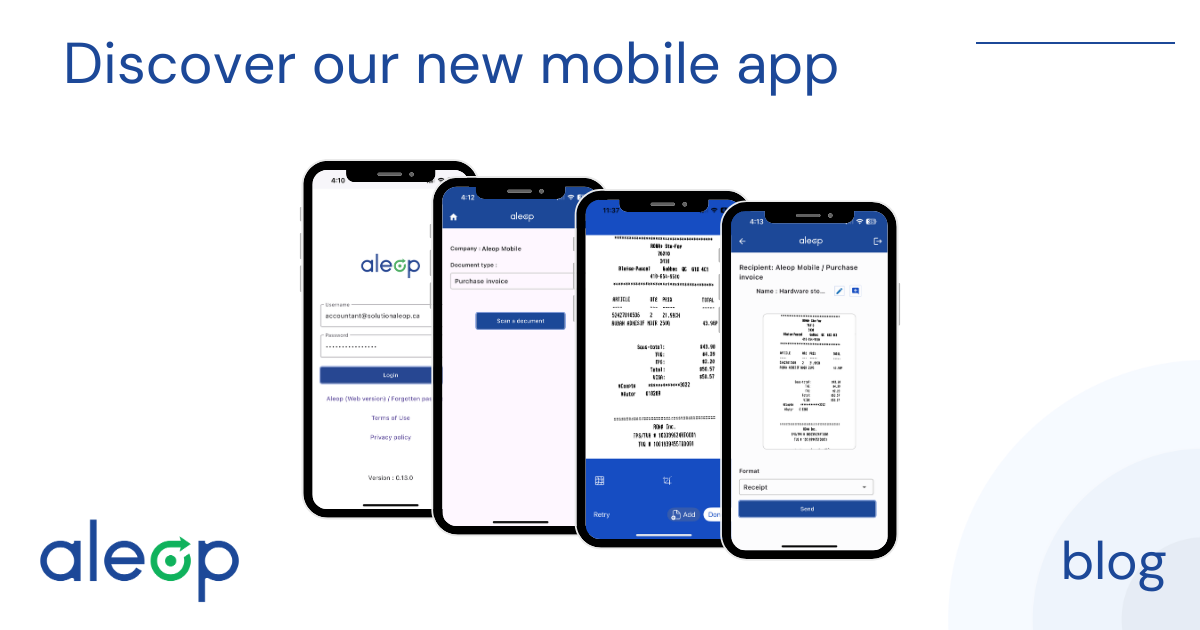
1. Login
Access to the app is granted with your Aleop credentials. Only users with "owner", "accountant", or "mobile scanning" permissions can use the app and access its features. The login screen also allows access to the web version of Aleop.
2. Select the company and document type
Once logged in, you choose the relevant company and the type of document to submit: purchase invoice, sales invoice, handwritten or OCR-unreadable document, or "to be determined" if you prefer to categorize it yourself later.
3. Scanning
Simply take a clear, well-framed photo of the document. Capture can be triggered automatically or manually, depending on the conditions. Before sending, you can add another page, retake the capture, correct the angle, or adjust the edges.
4. Sending
Before transmitting the document, you can change its name and add an annotation. You then select the format (letter, slip, or other) and let the app automatically adjust the orientation.
5. Confirmation
Once sent, a confirmation message appears. The document is then available in your Aleop account, ready to be validated or processed.

A simple, secure, and fully integrated tool
The Aleop mobile app was designed to work in perfect continuity with your existing account. There’s nothing to configure, no software to connect, and no third-party apps to use.
Simply log in with your usual Aleop credentials to access your workspace and start sending your documents.
All files captured through the app are automatically transmitted to your Aleop environment, securely and without intermediaries. Your data remains protected, stored, and processed according to the same standards as the main platform. No extra steps, no complex actions: you open the app, capture, and send.
Optimize your document tracking with annotations
The app also allows you to add a note to each document directly from your phone. Whether it’s to provide context for a purchase, such as "Purchase for renovation project", to indicate an action to take, like "To validate with Sophy", or to add a keyword for easier future search, such as "Machinery", this information is directly associated with the document and automatically follows its workflow in your Aleop account.
These annotations make organizing and managing your documents easier, even after you’re back at the office. They help you quickly find a specific document and track the status of each item in your internal processes. To learn more about annotations and how they work in Aleop, you can check out our dedicated article.

Ready to give it a try?
Whether you’re loading an order, inspecting a field, or catching up on paperwork on a Sunday evening, the Aleop app is there to save you time and give you peace of mind.
The app is free, but only available to Aleop clients. Simply log in with your usual Aleop credentials and start sending your documents on the go.
Now available on:


Need more informations?
Visit the Aleop Facebook page or dial 1-855-484-4040 for support.
Other articles