
 Our solutions
 Integrations
 Entrepreneurs & SMEs
 Chartered accountants
 Acomba
 SigaFinance
 AgExpert
 Get a free demo
 Talk to an expert
 Automation
 Intelligent search and document filing
 Financial indicators
 Dairy Indicators
 Mobile app
 Annotations
 Access management
 Data capture
 Intelligent data recognition
 Automatic transfer to your accounting software
 Electronic Data Interchange (EDI)
 Real-time dashboard
 12 months overview
 Personalized indicators
 The real impact of milk prices
 Synchronization of your dairy data
 Eight essential indicators
 Understand your margins
 Document digitization
 Seamless and secure integration
 Informative annotations
 Collaborate as a team
 Centralized information
 Two types of annotations
 Multichannel notifications
 Role assignment
 Secure your information
 Predefined access levels
 Useful links
 Help & Support
 Blog
Blog Customer login
 FAQ
FAQ Technical support
 Contact us
Annotations
Make communication with your team easier
Ask questions, clarify transactions, or add details directly to your accounting documents. No more scattered email exchanges.


Centralize all your important information
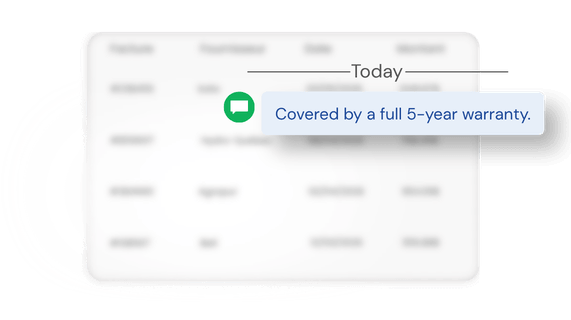
Each annotation remains linked to the original document, giving you a clear and accessible history. Reduce the risk of missing important information and avoid unnecessary searches when reviewing your files.
Simplify follow-ups
Mention your colleagues directly in annotations to ensure information reaches the right people. Follow-ups become easier, and communication stays organized and structured across your business.
Two types of annotations
General annotation
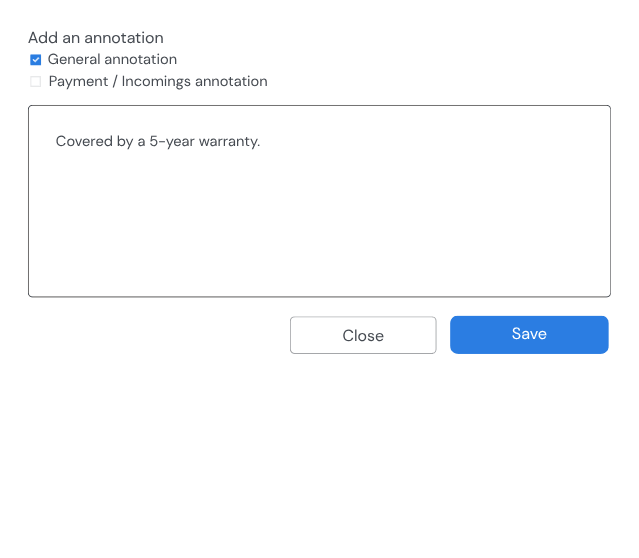
Add a note directly to a document to provide context or share important information. Useful for adding any type of additional detail, annotations are visible to all members of your team.
Payment / Incomings annotation
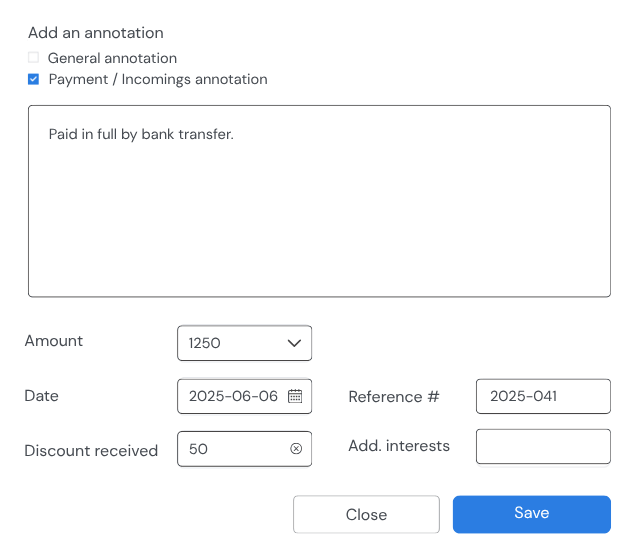
Add details to a payment or receipt before performing your bank reconciliation. Along with a comment, you can include the amount, date, discount received, reference number, or any additional interest charges.
Stay informed in real time
Receive a notification whenever an annotation involves you. Get notified by email, SMS, or directly in Aleop when a colleague mentions you in an annotation.

FAQ
Have any questions?
Got an unanswered question? Write to us — that’s what we’re here for.
Simply open a document from any menu in Aleop, then click the Annotate icon to open the annotation window and add your comment or information.
Yes. You can add annotations directly when submitting documents through the Aleop mobile app. The information is then available in Aleop, making it easier to track and follow up on transactions.
Yes. The Annotation Search section lets you quickly find your team’s annotations. You can search and apply different filters to access the information you need in just a few click.
Yes. If you have the necessary permissions, you can edit or delete an annotation to correct an error or update the information linked to a document.
No. Annotations are designed to support collaboration and tracking within Aleop. They remain attached to documents inside the platform and are not transferred to your accounting software.